Plant-floor shift & manpower · by VKS Tech

Stop rebuilding Excel every week.
Get a live roster on your phone.

Upload your plant Excel once. Auto Schedule fills Day / Night / Off. Coverage check flags short sections and machines before the shift starts — not after a line stops.

Mobile OTP login Excel → roster in minutes Offline-ready PWA

✓ Free trial · Mobile OTP login · No card required

Built by a Production Manager who led 60-member packaging teams — highest-ever 818 MT line output, defects 9% → 0.2%. Real plant careers →

D · Day
N · Night
O · Off
G · Gen
DepartmentMonTueWedCoverage
Print · M-1DDNOK
Lami · M-2NDDOK
Slit · M-3DONShort

Coverage flagged before the shift starts

Trusted language of Indian plant floors

9 yrsPackaging production
60+Member teams led
818 MTPeak line output
0.2%Defects (from 9%)
Flexible packaging Printing & converting Multi-machine lines Shift supervisors Plant managers

See Auto Schedule in action — then full setup

Short clip: one-click magic. Longer video: setup + free trial (Hinglish / English). If a clip is not published yet, start the free trial and experience the product live.

▶
See Auto Schedule in ~60 seconds One click → full shift roster with coverage checks. Video goes live when Admin publishes the short clip. Until then, start the free trial and try it yourself.
Short video · 45–90 sec

Magical Auto Schedule — one click

Show Excel team → Auto Schedule → coverage OK in seconds. Best for ads, WhatsApp, and hero social proof.


▶
Full setup + free trial walkthrough Excel → team → Auto Schedule → My Shift on phone. Long video appears here after Admin publishes. Prefer a live walkthrough? Open the app and start free.
Long video · 4–8 min

How to set up + free 15-day trial

Hook: “I am ready to manage your shift schedule free for 15 days — mera kaam achha lage to continue rakhna.” Then full setup steps and details.

Language tip: Best for Indian plant buyers = Hinglish (spoken Hindi + English product words like Excel, Auto Schedule, coverage). Optional: pure Hindi version for supervisors + English captions, or pure English for corporate buyers.

Everything you need to plan manpower — without buying a full HR stack.

Competitors sell hire-to-retire HRMS. Man Power focuses on the job your supervisors actually do every week: build a roster that covers the plant.

📄

Excel-driven team setup

Department, machines, designation, responsibility, and weekly offs come from the manager’s Excel — not a long HR configuration project.

⚡

Auto Schedule

Generate D/N/O rotations in one pass. Stagger phases so the whole section doesn’t land on the same code on day one.

✅

Coverage validation

After auto-generate, Man Power counts people per shift inside Department, Machine, Designation, and Responsibility groups — and flags gaps.

📱

Mobile PWA + offline

Works on the phone on the floor. Offline queue keeps schedule edits moving when the network drops.

👥

Manager & member flows

OTP login, member pending → approve with emp code / section / machine, then they appear on the schedule immediately.

📊

Leave, OD & reports

Mark OD on the grid and keep OD records in sync. Reports and photos for important shop-floor information.

Your Excel is the system of record — we don’t force a new language.

  • Import team with section, machine, responsibility, designation, weekly off
  • Approve a member once — they land on Create Schedule without a second “add employee” step
  • Multi-select filters: Department, Machine, Designation, Responsibility
  • Hindi + English for supervisors and members

Typical plant flow

  1. Manager uploads / updates Excel roster
  2. Members join with mobile OTP (pending until approve)
  3. Run Auto Schedule for the week/month
  4. Fix coverage warnings → Save
  5. Team sees My Shift on phone

Not just “who is on D or N” — is the machine covered?

  • Example: 3 people in one section + 3 active shifts → every working day needs coverage on each shift
  • Same rule machine-wise, responsibility-wise, designation-wise
  • Modal shows which groups/days are short
  • Suggest weekly-off changes, apply, and re-generate

Why plants care

Full HRMS tools optimise payroll and attendance. Man Power optimises whether the line can run with the people you actually rostered.

Coverage OK
Gap flagged

Live in three steps — not a six-month HRMS project.

1

Setup team from Excel

Manager uploads the plant roster. Departments and machines stay the way your plant already talks about them.

2

Auto Schedule + coverage

Generate shifts, review short groups, adjust weekly offs, and save a roster the floor can trust.

3

Run the week on mobile

Members see My Shift. Managers tweak cells, mark OD/leave, and keep working even offline.

Specialist rostering vs full HRMS

Use this when buyers compare you with Keka, greytHR, HROne, or SalaryBox.

Need Man Power Typical HRMS (Keka / greytHR / HROne)
Plant Excel → live roster Core workflow Possible, but heavier setup
Auto Schedule + multi-dimension coverage Built for section / machine / role gaps Shift calendars; coverage depth varies
Shop-floor codes (D/N/O, OD) First-class Generic attendance-centric
Offline schedule edits PWA + offline queue Mostly online mobile apps
Payroll, PF/ESI, full HR Not the product (by design) Core strength
Time to value for rostering only Days, not a full HR rollout Often weeks with modules you may not need

Built by someone who ran the same 60-member lines

Plant managers buy certainty — not another pretty website. Here is the person behind Man Power, and the careers built under the same VKS Tech guidance.

Vivek Kumar

Vivek Kumar

Production Manager (HOD) · Founder, VKS Tech · GLS Polyfilms
9 years packaging production Led 60-member teams 818 MT highest line output Defects 9% → 0.2% Lowest conversion cost

I built Man Power after living the same weekly Excel chaos, coverage gaps, and odd-hour shift calls. Highest-ever single-line output, defect reduction, and turnaround of shut-down lines taught me what a roster tool must do on the shop floor — not another full HRMS.

★★★★★

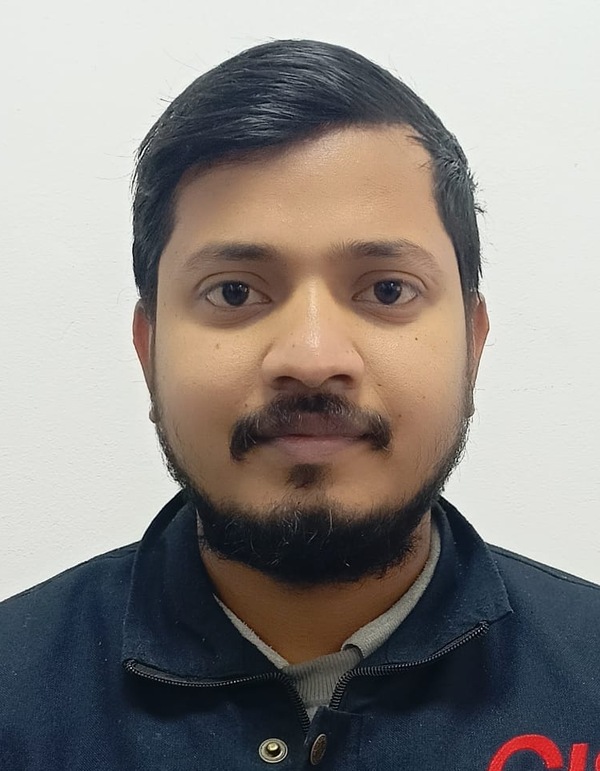
“Started as operator under Vivek sir’s guidance at Uflex Noida. Today I handle planning as Assistant Manager at Sumilon. The shift discipline and planning habits I learnt then are what I use every day.”

Operator (Uflex Noida) → AM Planning (Sumilon Surat)
Ajab Singh
Ajab SinghAM Planning · Sumilon Surat
★★★★★

“Started as GET at Jindal Nashik under Vivek sir’s mentoring. Today I independently manage shifts as Senior Engineer at Uflex Dharwad.”

GET (Jindal Nashik) → Senior Engineer (Uflex Dharwad)
N.K. Jena
N.K. JenaSenior Engineer · Uflex Dharwad
★★★★★

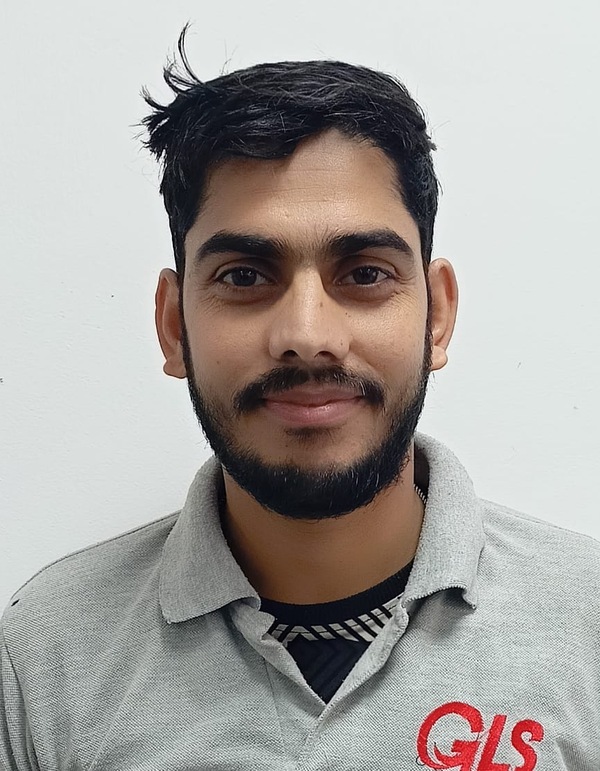
“We started at the same level in Uflex Noida. Training on Excel automated reports and SAP modules is a big reason I am Deputy Manager at GLS Gurawara today.”

Same level (Uflex Noida) → Deputy Manager (GLS Gurawara)
Keshav Jha
Keshav JhaDeputy Manager · GLS Gurawara
★★★★★

“Started as ITI trainee under Vivek sir at Uflex Noida. That practical guidance on machine, process and discipline is still the foundation of how I work as Senior Operator.”

ITI Trainee (Uflex) → Sr. Operator (Chiripal Jammu)
Amit
AmitSr. Operator · Chiripal Jammu
★★★★★

“Trained on shift management under Vivek sir at GLS Gurawara. Today I run the shift as Shift Leader — daily discipline and coverage thinking the floor actually needs.”

Shift training → Shift Leader (GLS Gurawara)
Ghanshyam
GhanshyamShift Leader · GLS Gurawara
★★★★★

“Grew from Senior Team Member to Team Leader at GLS under continuous guidance. Clear targets, process discipline, and how to lead a small team on the floor.”

Sr. Team Member → Team Leader (GLS)
Anuj
AnujTeam Leader · GLS Polyfilms

View all career journeys (Mentor · VKS Tech) →

Premium rostering — priced for plant teams

Clear monthly bands. Start free, then pick the size that matches your floor. Annual billing saves when discount is enabled by admin (shown on each card).

Start free — pick a plan after login

Plans load from Admin. Typical bands: Individual · up to 60 · up to 200. Free trial after mobile OTP login.

Login · Start free trial

✓ Free trial · Mobile OTP · No card required

Start free trial after login. If the roster still creates more work than it saves after the trial, you simply don’t continue — no pressure. Cancel & refund window available via Customer Care when enabled by admin.
Free trial after login · days set by admin · Book 15-min setup call · Custom / multi-plant → talk to us

Questions plant teams ask

Is Man Power a full HRMS?

No. It is a premium rostering tool — Excel in, Auto Schedule, coverage by department/machine/role, My Shift on phone. Keep greytHR / Keka / payroll where they belong.

How fast can we go live?

Most teams start from an existing Excel roster. Upload, map sections, run Auto Schedule, and members see shifts on mobile the same day — not a six-month HR project.

What does the free trial include?

New users get a free trial after login (days set by Admin). Use real shifts on your phone. If it saves time, continue on a paid plan that matches your headcount.

How is this different from a shift calendar?

After Auto Schedule, the app counts people per shift inside Department, Machine, Designation, and Responsibility groups and flags short days — so gaps show before the floor feels them.

Can we still use greytHR / Keka for payroll?

Yes. Man Power focuses on rostering and coverage. Keep your existing payroll / attendance HRMS if you already use one.

What if it doesn’t fit our plant?

Start with the free trial after login. Use real shifts on your phone. If after the trial the roster still creates more work than it saves, you simply don’t continue — no long contract and no pressure.

Can we talk before paying?

Yes. Book a free 15-minute setup call on WhatsApp. We walk through your Excel roster, sections, and machines — no payment needed for the call.

Who built Man Power?

Vivek Kumar — Production Manager (HOD) with 9 years in packaging (UFLEX, JPFL, GLS). Led 60-member teams, delivered highest-ever 818 MT line output and cut critical defects from 9% to 0.2%. Man Power was built from that floor experience under VKS Tech.

Ready when you are

Login with mobile OTP and try on your real roster — or book a free 15-minute call if you want a walkthrough first.

✓ Free trial · Mobile OTP · No card required

Vivek Kumar · +91-8168771239 · VKS Tech · Open to plant teams across India

Your next shift roster is one login away.

Mobile OTP · free trial · Excel in, coverage out. Built for 60-member plant teams — not another full HRMS.

✓ Free trial · Mobile OTP login · No card required

Hindi & English · Built by VKS Tech

Login · Free trial WhatsApp